Study
Study
Study Plans that fit your day.
Read a book, a volume, all of scripture, or your own range, by a finish date, minutes a day, or chapters a day. Or follow one of 14 guided plans that pair each day’s passage with an explanation, a question to reflect on, and something to try.
- Today shows the exact passage and about how long it takes
- Miss a day and the rest is gently rebalanced, never a doubled tomorrow
- Works fully offline; syncs your progress automatically once you sign in
Study · Guided
Guided studies, a day at a time.
Pick a topic (faith, repentance, the Atonement, prayer and more) and each day pairs its passages with an explanation, a question to reflect on, and something to try this week.
- Browse Topics by category, or start from For You
- Each day: the passages, then “Reflect” and “Apply”
- Choose your study days and when to begin
Study · Today
Today shows exactly what to read.
Your plan’s passage for today, about how long it takes, and one tap to start. Read on in place, tap any verse for its notes, and mark the day complete when you’re done.
- Miss a day and choose what happens: Smart Catch-Up keeps your finish date, Shift Forward moves it, Keep Dates leaves it
- Pause a plan and resume from today, or keep its schedule
- Daily reminders at the time you choose
Study · Come, Follow Me
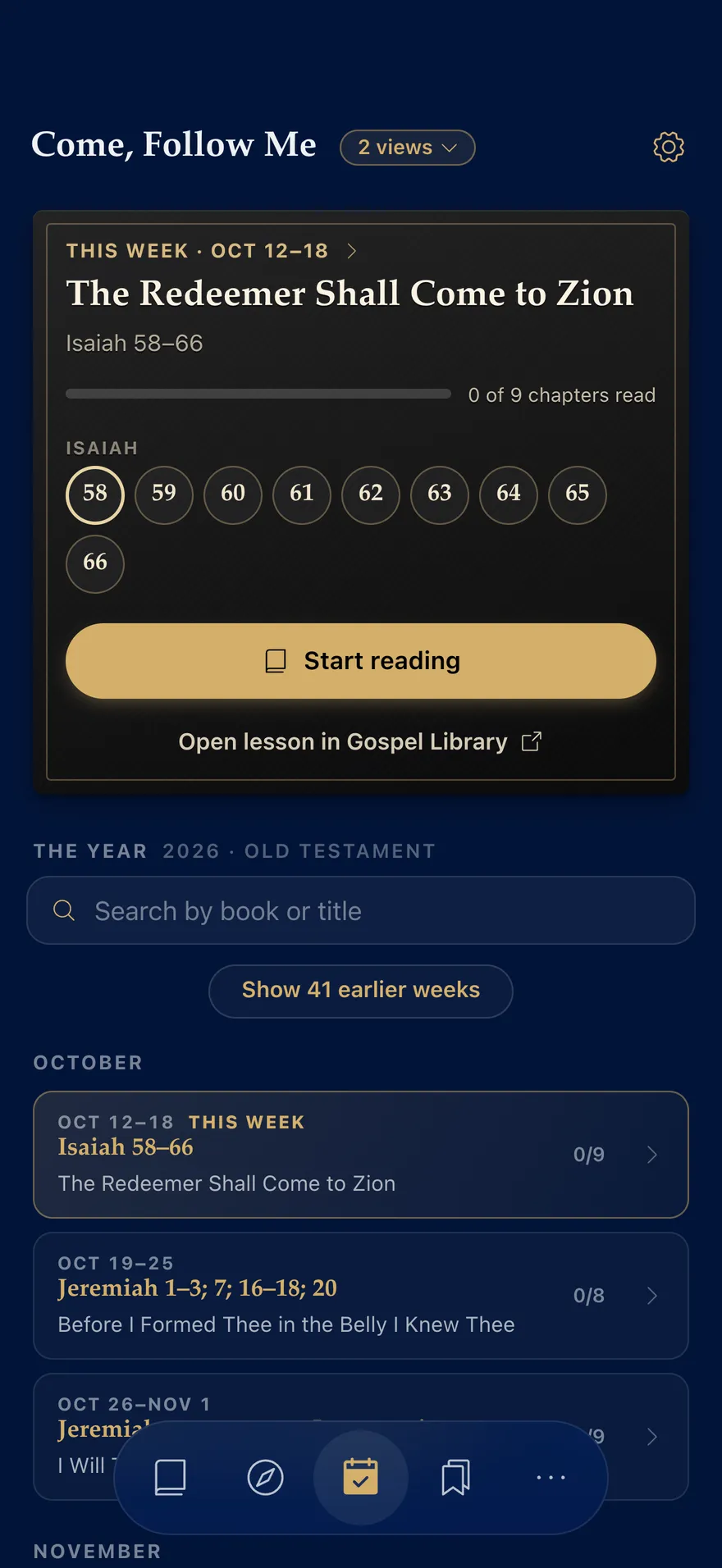
This week’s Come, Follow Me, ready to read.
Come, Follow Me is the Church’s weekly home-study schedule, the same block taught in Sunday School and Primary. Study opens on this week’s lesson: its title, its chapters as numbered stops, and one tap to start reading.
- Chapters you read anywhere in Nephi Plates count toward the week
- The whole year week by week, searchable by book or title
- The lesson’s manual one tap away in Gospel Library
- Pin it to your tab bar to open it straight from there

How it works
Getting around Study
Step by step, in the app's own words.
1Start a Study Plan
- 1Open Study (the compass icon) and tap “+ New Study Plan”.
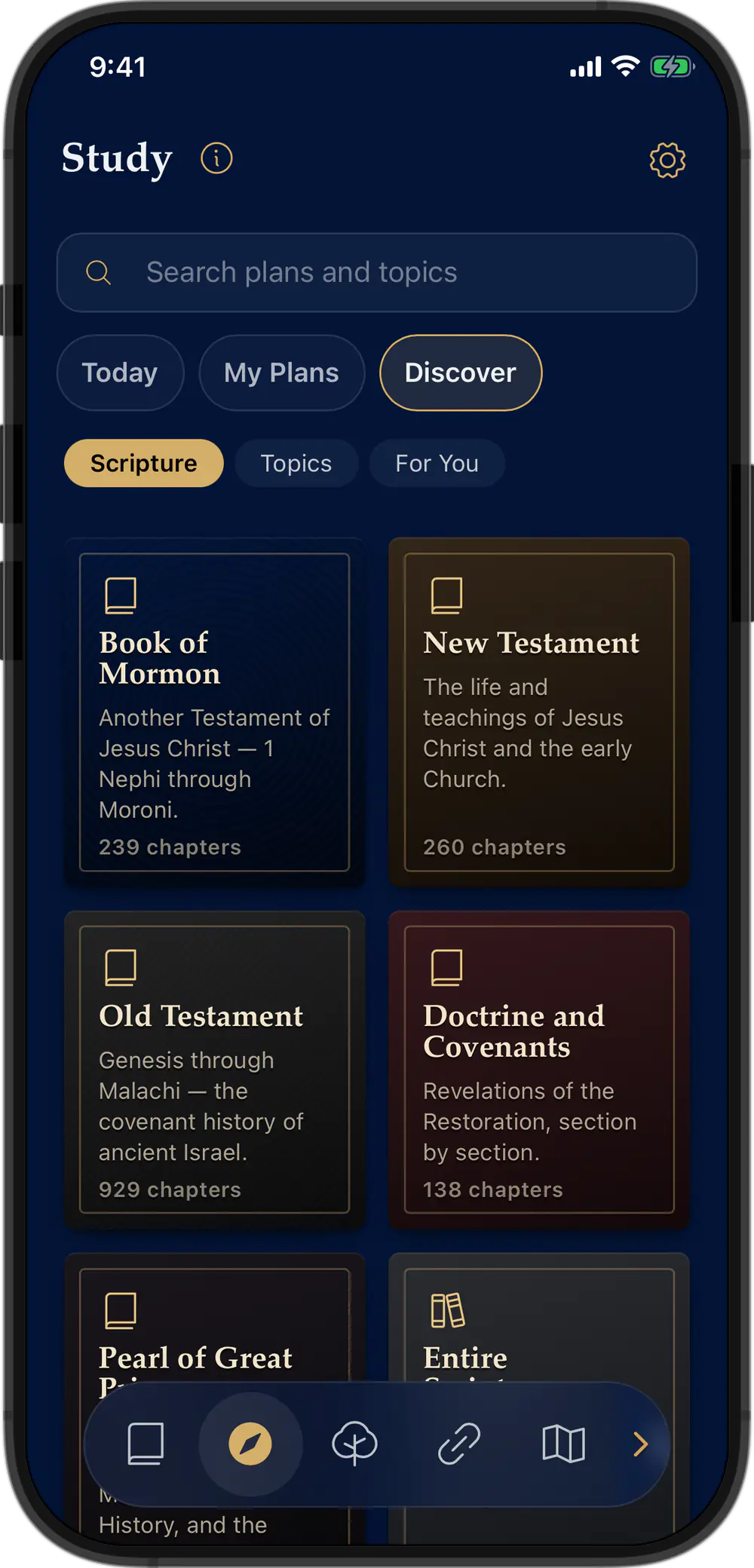
- 2Choose “Read Scripture”, then a volume, all of scripture, or one book.
- 3Under “Choose your pace”, pick a daily time, a number of chapters, a finish date, or “Let Nephi Plates decide”.
- 4Set your study days and start date, and an optional daily reminder.
- 5Tap “See plan” to preview it, then “Start Study Plan”.
2Follow a guided study
- 1In Study, open “Discover” and browse “Topics” (or “For You”).
- 2Tap a topic. Each shows how many days it takes.
- 3Choose your study days and start date, then “See plan” and “Start Study Plan”.
- 4Each day pairs its passages with something to “Reflect” on and something to “Apply”.
3Do today’s reading
- 1Open “Today” and tap “Start Reading” on your plan.
- 2Read the chapter (tap any verse for its notes) and move on with “Next Chapter”.
- 3Tap “Complete Today’s Study” when you’re done.
- 4Behind? The card shows “Catch-up”, and your plan rebalances the rest.
4Choose what happens when you miss a day
- 1Open your plan from “My Plans” and tap “Edit Schedule”.
- 2Under “If you miss a day”, choose “Smart Catch-Up” (spread it over the days ahead, same finish date), “Shift Forward” (push everything back) or “Keep Dates”.
- 3Tap “Save schedule”. Sessions you’ve already finished don’t change.
From the same page you can “Pause”, “Archive” or “Delete” a plan.