Connection
Connection
See how all of scripture fits together.
All 1,582 chapters of the Old Testament (KJV), New Testament (KJV), Book of Mormon, Doctrine and Covenants, and Pearl of Great Price on one line, Genesis to the Pearl of Great Price, with an arc for every pair of chapters that teach the same truth, 69,925 in all. Pick a volume or a book and its links light up in the colors of the volumes they reach.
- A Jesus Christ lens keeps only the 10,170 links where both passages testify of Him
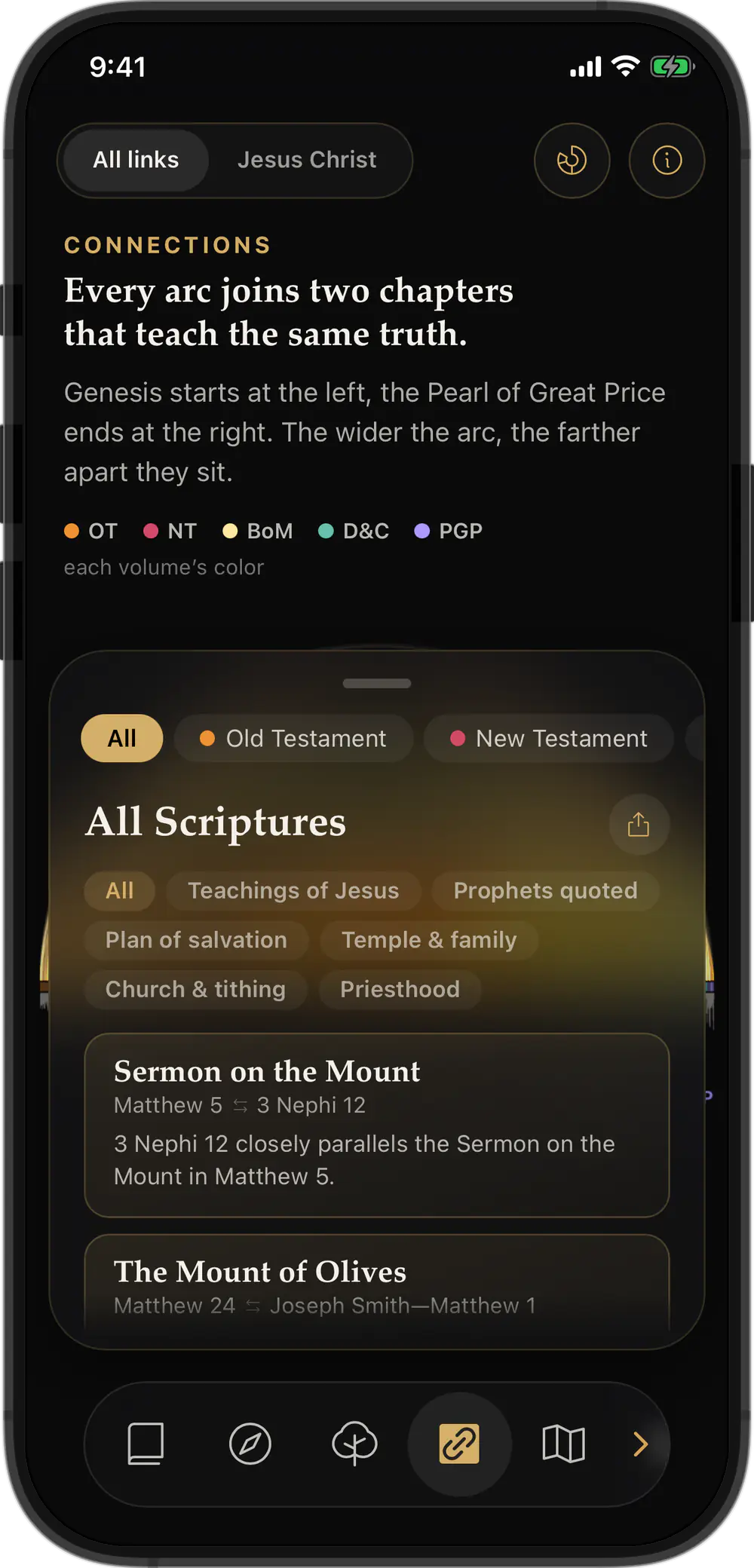
- 32 “Start here” pairs, like the Sermon on the Mount in Matthew 5 and 3 Nephi 12
- Every book’s most-linked partners, ranked, one tap from tracing them in turn
- Arcs, or a Circle view of all 87 books joined by ribbons. The switch sits right beside the panel
Connection · Jesus Christ
Only the links that testify of Him.
Switch the lens to Jesus Christ and the chart keeps only the 10,170 links where both passages testify of Him. Pick a book to see what it testifies of Christ alongside.
- One tap between All links and Jesus Christ
- Its verse pairs say when both sides testify of Him
- The same lens in the Circle view
Connection · Trace
Follow one book across all of scripture.
Pick a book and its arcs light up in the colors of the volumes they reach, while the panel ranks every book it links with. Tap one to read the verse pairs side by side, with the reason each pair belongs together.
- Tap either verse for its study notes
- Trace the partner book in turn, one tap at a time
- Fold the panel to a pill. The arcs or Circle switch sits right beside it
Connection · Circle
Every book of scripture around one ring.
Switch to the Circle view and all 87 books sit around a ring in canon order, joined by about 2,500 ribbons, each as wide as the verses its two books share, shaded between their volumes’ colors. Touch the ring to pick a book, and drag along it to scrub.
- Tap a ribbon to read that pair of books’ verses side by side
- The same Jesus Christ lens and panel as the arcs
- One tap between the arcs and the circle, right beside the panel when it’s folded
How it works
Getting around Connection
Step by step, in the app's own words.
1Read the chart
- 1Open Connection (the link icon). A short walkthrough plays the first time.
- 2Every chapter of scripture runs left to right, Genesis to the Pearl of Great Price.
- 3Each arc joins two chapters that teach the same truth. The wider it is, the farther apart they sit.
- 4Tap the ⓘ in the top bar any time to see the walkthrough again.
2Trace a book’s connections
- 1In the panel, tap a volume chip (“Book of Mormon”, say), then a book.
- 2Its arcs light up in the colours of the volumes they reach.
- 3The panel lists every book it links with, most-linked first.
- 4Tap one to read the verse pairs side by side; tap either verse for its notes.
- 5Tap “Trace” to follow that book in turn.
3See only the links that testify of Christ
- 1In the pill at the top, tap “Jesus Christ” (instead of “All links”).
- 2Only the links where both passages testify of Him stay.
- 3Pick a book to see what it testifies of Christ alongside.